
Prove compliance
Checklists
Record the practical, observed tasks that e-learning cannot evidence on its own.
Plenty of what you need to evidence is not a course: opening checks, competency observations, shadow shifts, equipment checks. Checklists put those in the same system as the training record.
- Create shared lists for a site, department or branch, or individual lists per person
- Assign tasks to individuals or teams
- Track completion in real time
- Get notified automatically when an issue is flagged
The problem this solves
Practical checks live on paper or in a WhatsApp photo. When something goes wrong, nobody can show the check was done — or that the issue was raised with the right person.
In practice
A daily site opening check
The duty supervisor completes the list on a phone. A flagged fire door issue notifies the facilities lead immediately, and the completed check is stored with a time and a name against it.
What your people can do
- Work through a clear task list on their phone
- Flag a problem as soon as they find it
- See what is still outstanding on a shared list
What managers and administrators can do
- Create shared lists for a site, department or branch, or individual lists per person
- Assign tasks to individuals or teams
- Track completion in real time
- Get notified automatically when an issue is flagged
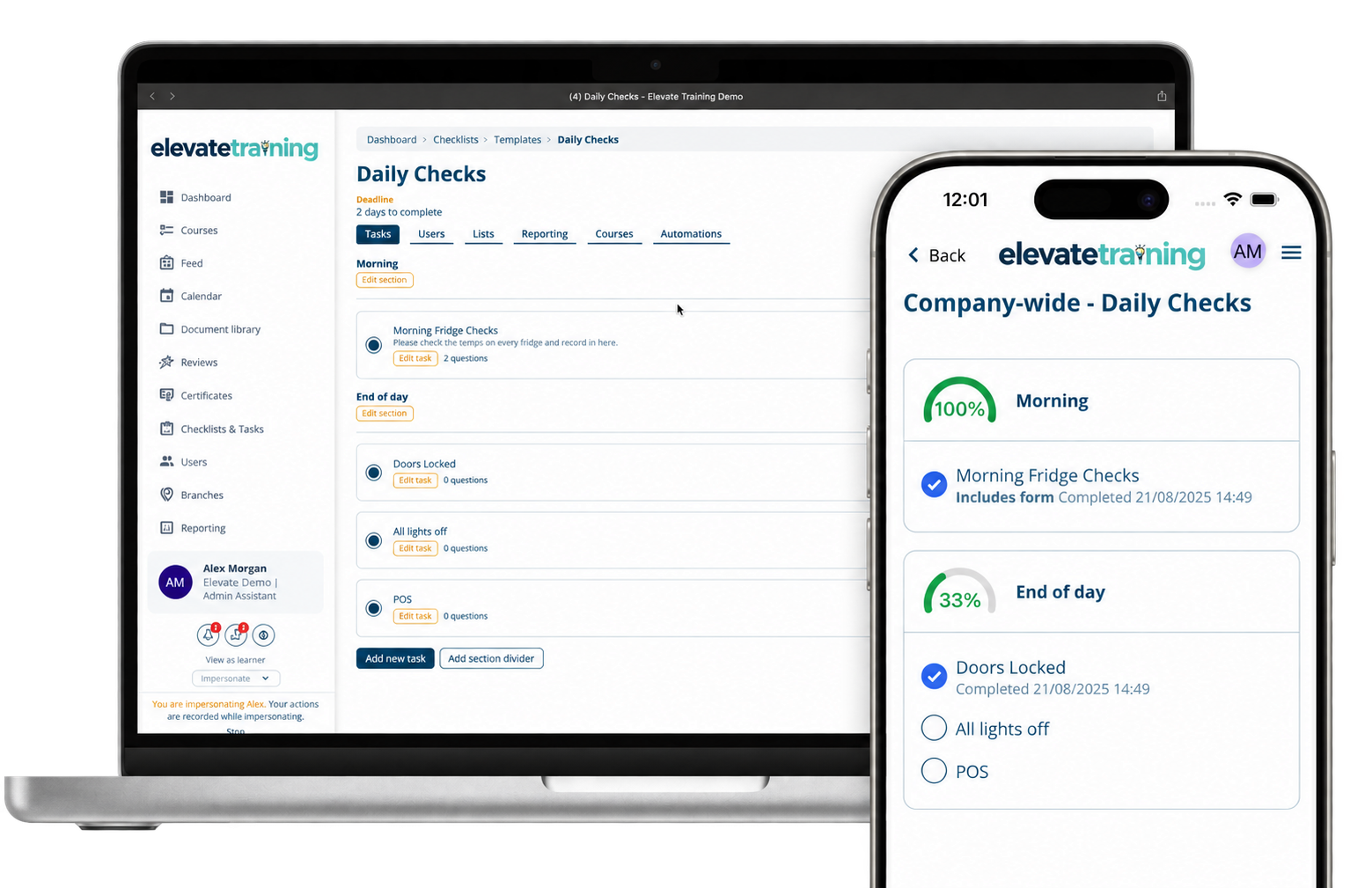
Create a consistent daily process and let staff complete practical checks where the work happens.
In detail
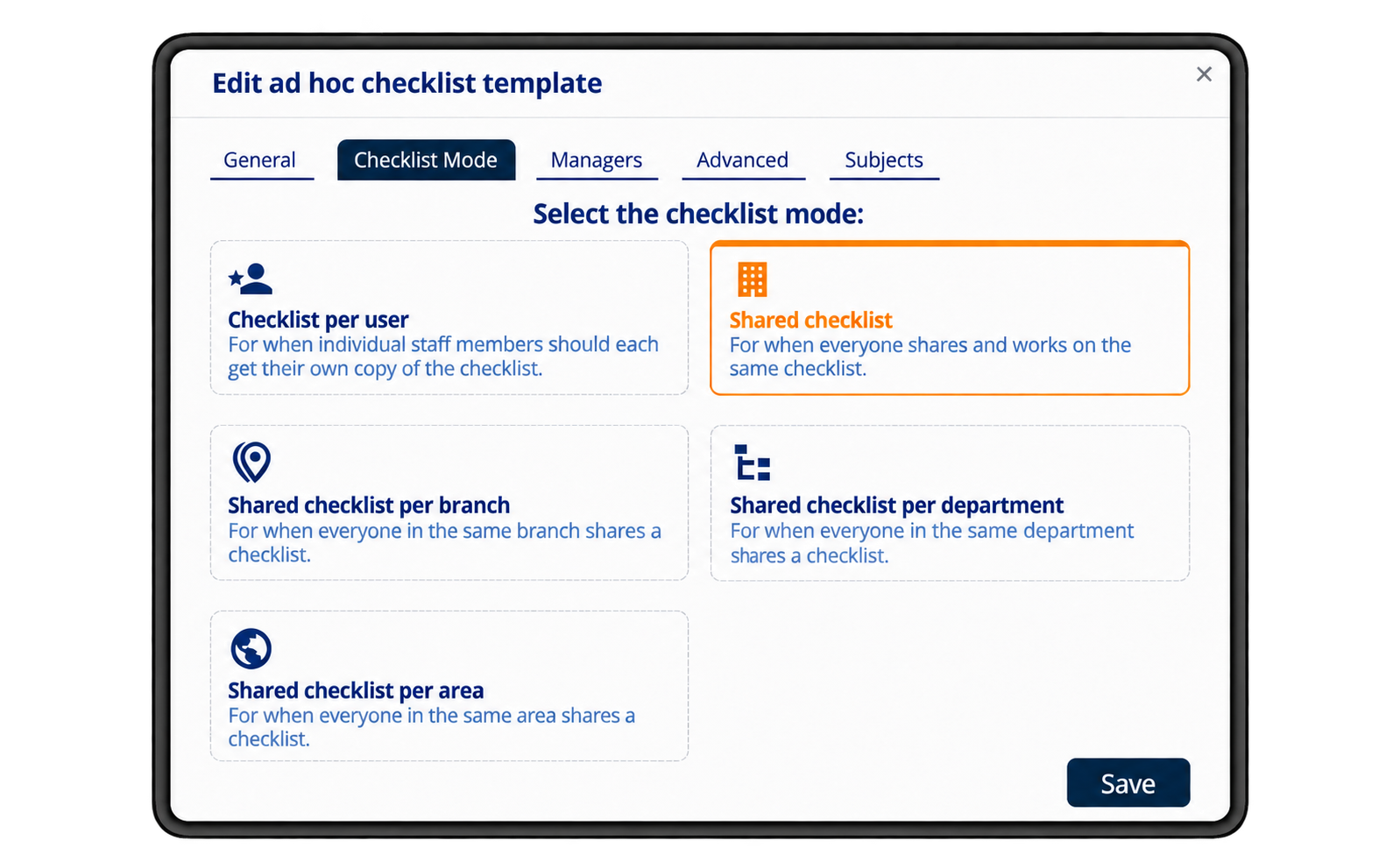
Assign each checklist at the right level
Give each person their own copy or share one checklist across the whole organisation, a branch, department or area.
Common questions
- Can a checklist be shared by a whole team?
- Yes — lists can be shared across a branch or department, or assigned to individuals.
- What happens when someone flags a problem?
- The right people are notified automatically based on how the list is set up.
- Can checklists be part of an induction?
- Yes, they can be built into a learning path alongside courses and reviews.
Also in prove compliance
Compliance & renewals
See what is complete, what is due and what has lapsed — by person, team or site.
Training matrix software
Replace the training matrix spreadsheet with a live matrix of who has completed what, by person, branch and department.
Certificates
Issued on completion, branded to your organisation and stored on the learner's record.
Next step
See Elevate with your own sector in mind
A short, no-obligation walkthrough of the platform using examples relevant to your organisation. If it isn't a fit, we'll tell you.
- A live walkthrough, not a slide deck
- Questions answered by someone who knows the sector
- A written follow-up with what we discussed
- No obligation to go further